The lobby
The lobby is the home of the game. Everything about the current week starts here: registering, following your roster and claiming your rewards.
A tour of the lobby
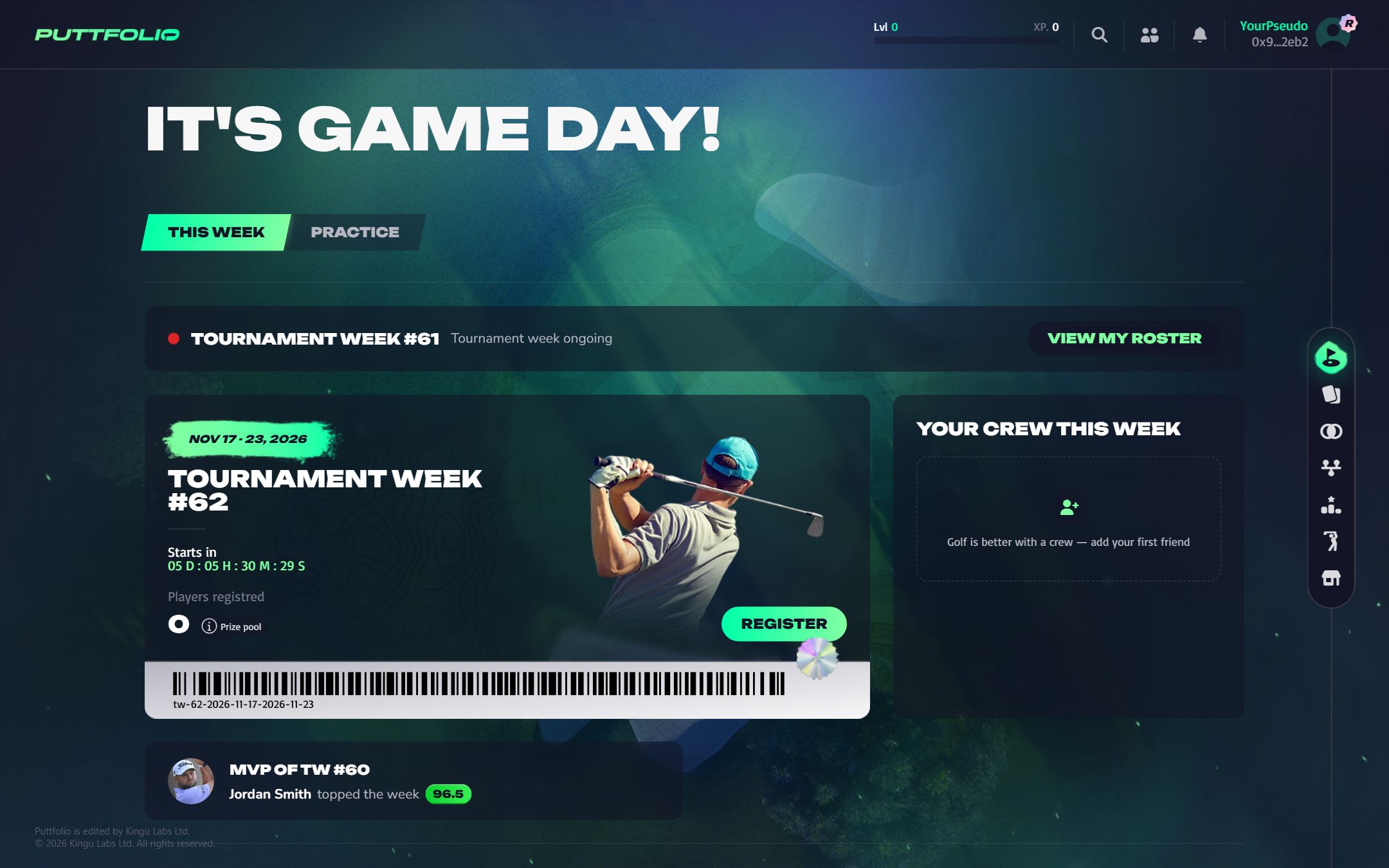
The screen below walks through the lobby, one part at a time. Use the arrows to move at your own pace, or Whole screen to see every part at once.
 1
Step 1 of 9Your level and XP
Your player level for the season. The bar fills with the XP of each Tournament Week you claim.
All 9 steps
- Your player level for the season. The bar fills with the XP of each Tournament Week you claim.
- This week shows the Tournament Weeks. Practice is where you lock a card for 24 hours to earn it 60 XP.
- When a Tournament Week is being played, this banner opens your roster and its live points.
- The week you can register for, with the countdown to its start. Your roster locks when it reaches zero.
- How many players are in, and a Prize pool button that opens the rewards of the week: which card each rank bracket wins.
- Opens the roster page. Once you are registered, the button lets you edit your roster until the week starts.
- Which of your friends have registered. You can nudge the ones who have not.
- The MVP of the last week. Just below it, your past weeks: click one to open its results and claim your reward.
- From top to bottom: Lobby, My collection, Fusion, My progression, Leaderboard, Golfers coverage and the marketplace.
What to do, and when
| When | What the lobby shows | What to do |
|---|---|---|
| A week is open | The week card with its countdown and the Register button. | Register your roster, or edit it. |
| A week is live | A banner with a red dot and View my roster. | Follow your points and the leaderboard. |
| A week is over | The week in Last tournament week & results. | Open its results and claim your reward. |
| Any time | The Practice tab. | Lock a card for 24 hours to earn it XP. |