Leaderboards
Every Tournament Week has its leaderboard, and your points also add up over each split of the season.


The Leaderboard page
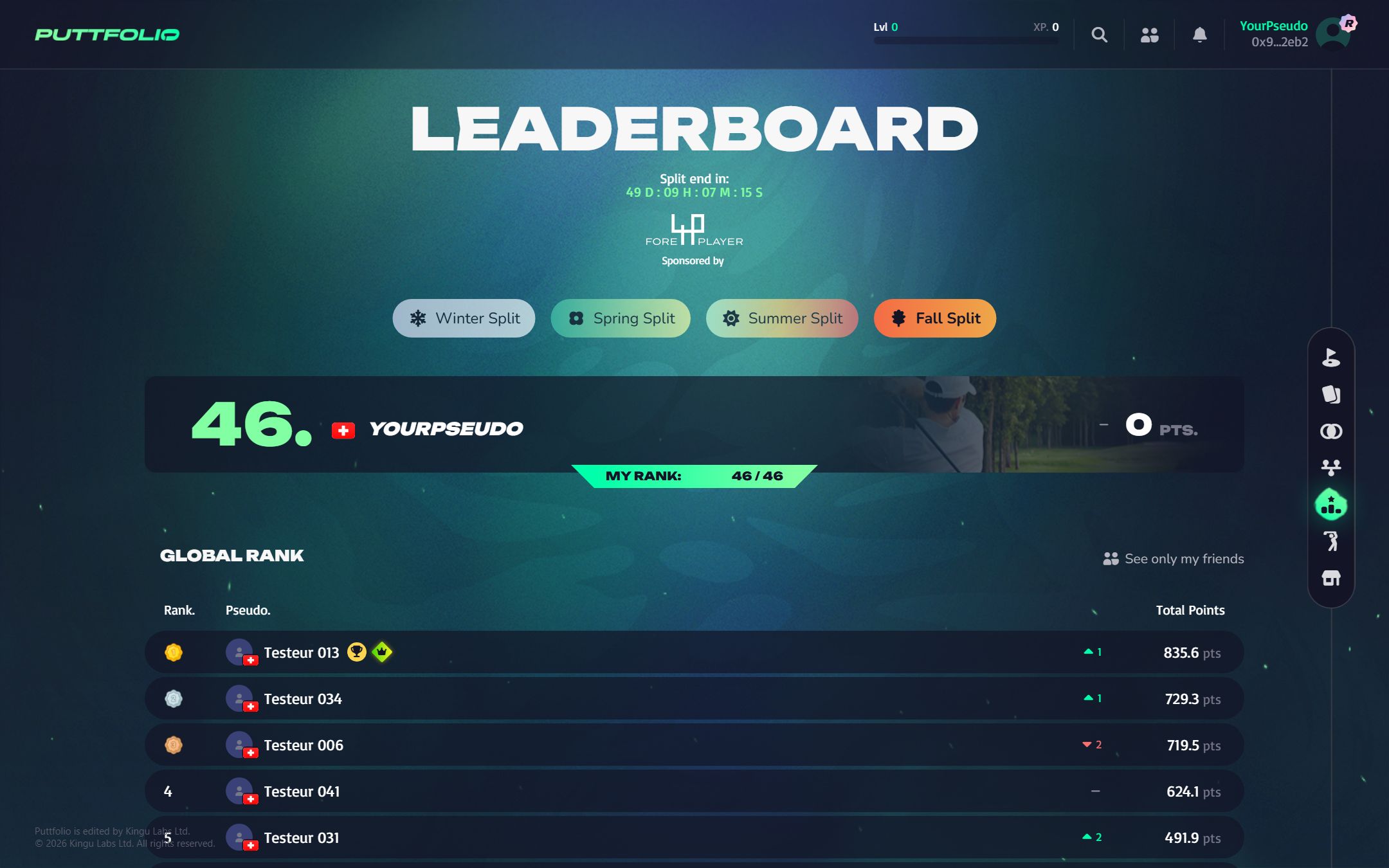
The Leaderboard entry of the menu opens the ranking of the season, split by split. The screen below walks through it.
 1
A season has four splits: Winter, Spring, Summer and Fall. Click one to see its ranking. The current split is highlighted.
All 6 steps
- A season has four splits: Winter, Spring, Summer and Fall. Click one to see its ranking. The current split is highlighted.
- The countdown to the end of the current split. Every Tournament Week played before then counts.
- Your place on the split, your points, and your rank out of all the players ranked.
- Switches the ranking to you and your friends.
- The rank (a medal for the top three), the player, the places won or lost since the previous Tournament Week, and the points of the split.
- The trophy marks the winner of the last Tournament Week. The crown marks the player who holds the best roster score ever.
The Tournament Week leaderboard
All players who registered a roster are ranked by their roster's points. During a live week the ranking moves as golfers play. The final ranking decides the card you win.
- On equal points, the roster that was registered first is ranked ahead.
- A filter shows only your friends.
Seasons and splits
A season is a calendar year, divided in four splits: Winter, Spring, Summer and Fall. The Leaderboard page of the game ranks players on the current split by adding up the points of all its Tournament Weeks, and shows how many places you gained or lost since the previous week.
Badges on the leaderboard
- Last TW winner: the player who won the most recent Tournament Week.
- Highest score: the player holding the best roster score ever recorded. If someone beats it, the badge changes hands.
- Rookie: a new player, until they reach player level 3.