Build your roster
A roster is 3 golfer cards. Here are the rules for choosing them and the numbers that help you pick well.
The roster page, step by step
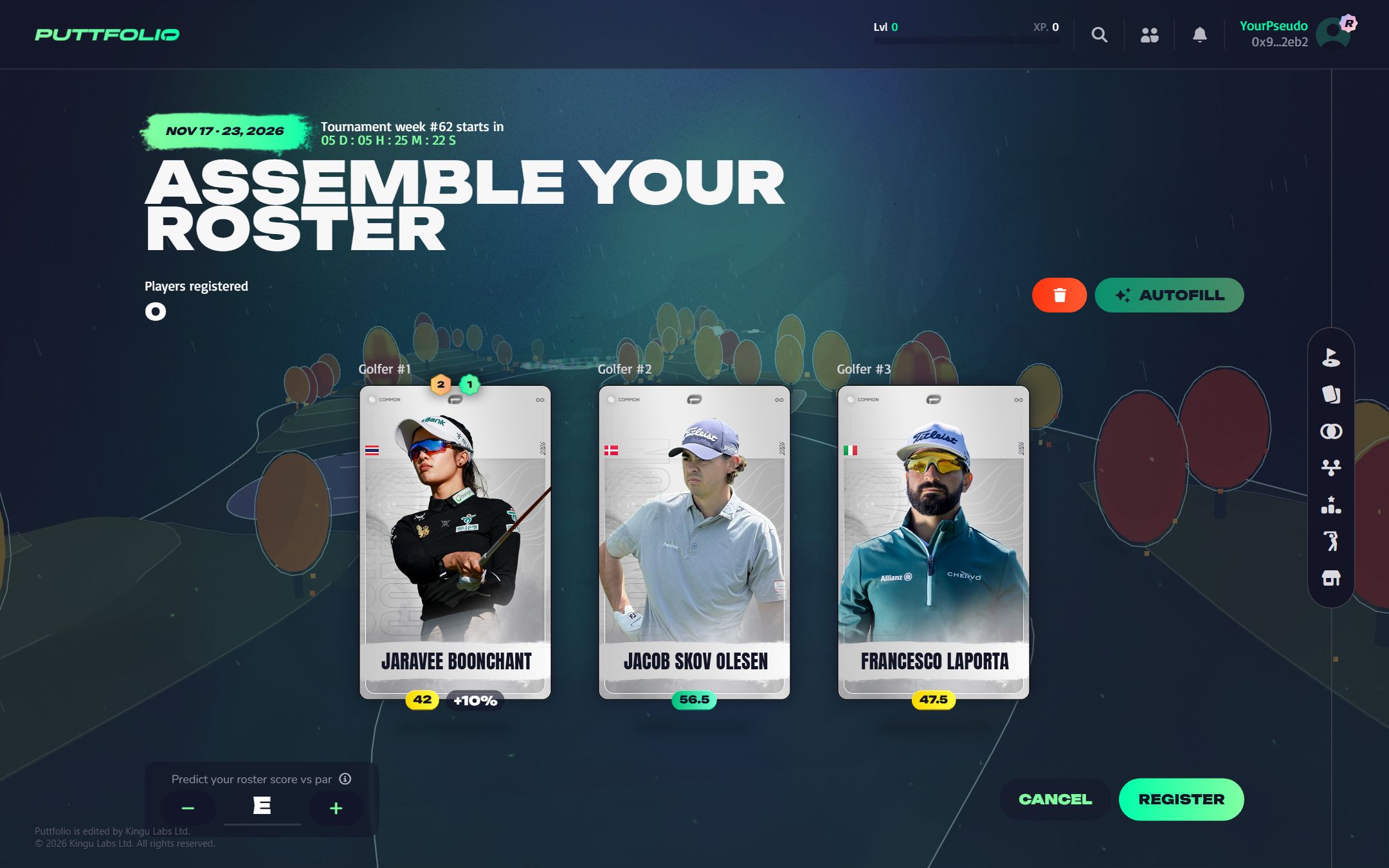
From the lobby, Register opens the roster page. The screen below walks through it, one part at a time.
 1
Your roster is three golfers. Click a slot to open the panel of your cards and choose one for it.
All 10 steps
- Your roster is three golfers. Click a slot to open the panel of your cards and choose one for it.
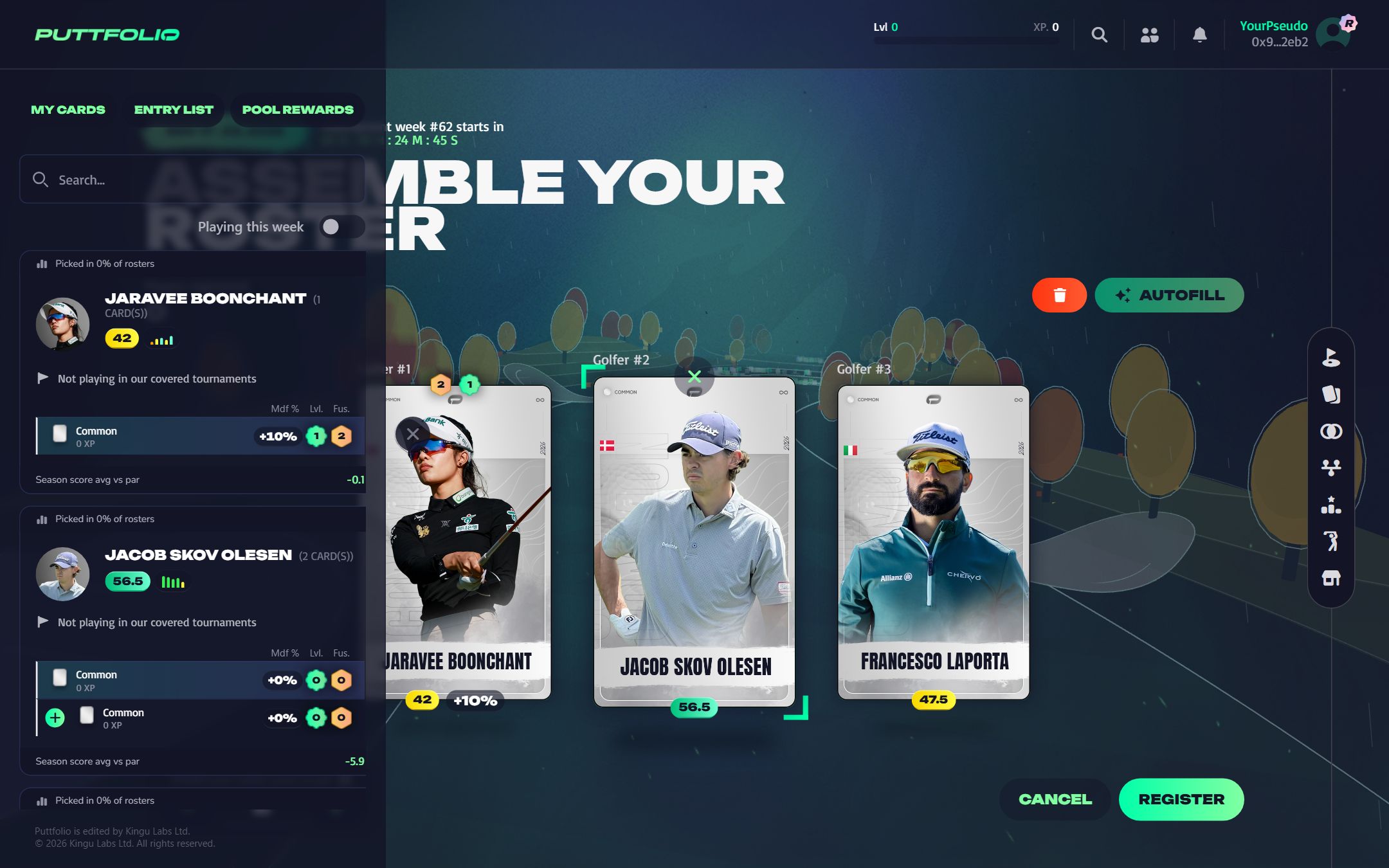
- The panel opens on the left, on your cards. Use the search to find a golfer by name.
- Turn this on to show only the golfers entered in a tournament of the week.
- How many players picked this golfer this week, the average score, and the last five tournaments.
- This line names the tournament the golfer plays this week. "Not playing" means 0 points: pick someone else.
- Each line is one of your cards of this golfer, with its modifier, level and fusion. Click it to put it in the slot.
- Fills the three slots for you: playing golfers first, then your best modifiers, then the best averages. The bin empties the roster.
- Under each card: the average score of the golfer and the bonus your card adds to their points.
- Predict the total score of your three golfers against par. The closer you are, the bigger the bonus, up to +40 points.
- Saves your roster. You can come back and update it as often as you like until the countdown at the top reaches zero.
Entry list and pool rewards
The side panel has two more tabs. Entry list tells you who plays this week, and Pool rewards tells you what the week pays.

 1
The second tab of the panel lists the tournaments of the week.
All 7 steps
- The second tab of the panel lists the tournaments of the week.
- Each block gives the dates, the tour, the name and the course of a tournament. The arrow opens its official page.
- The golfers entered are listed here, and the ones you own are highlighted in green. A list is published a few days before its tournament: until then, this message is shown.
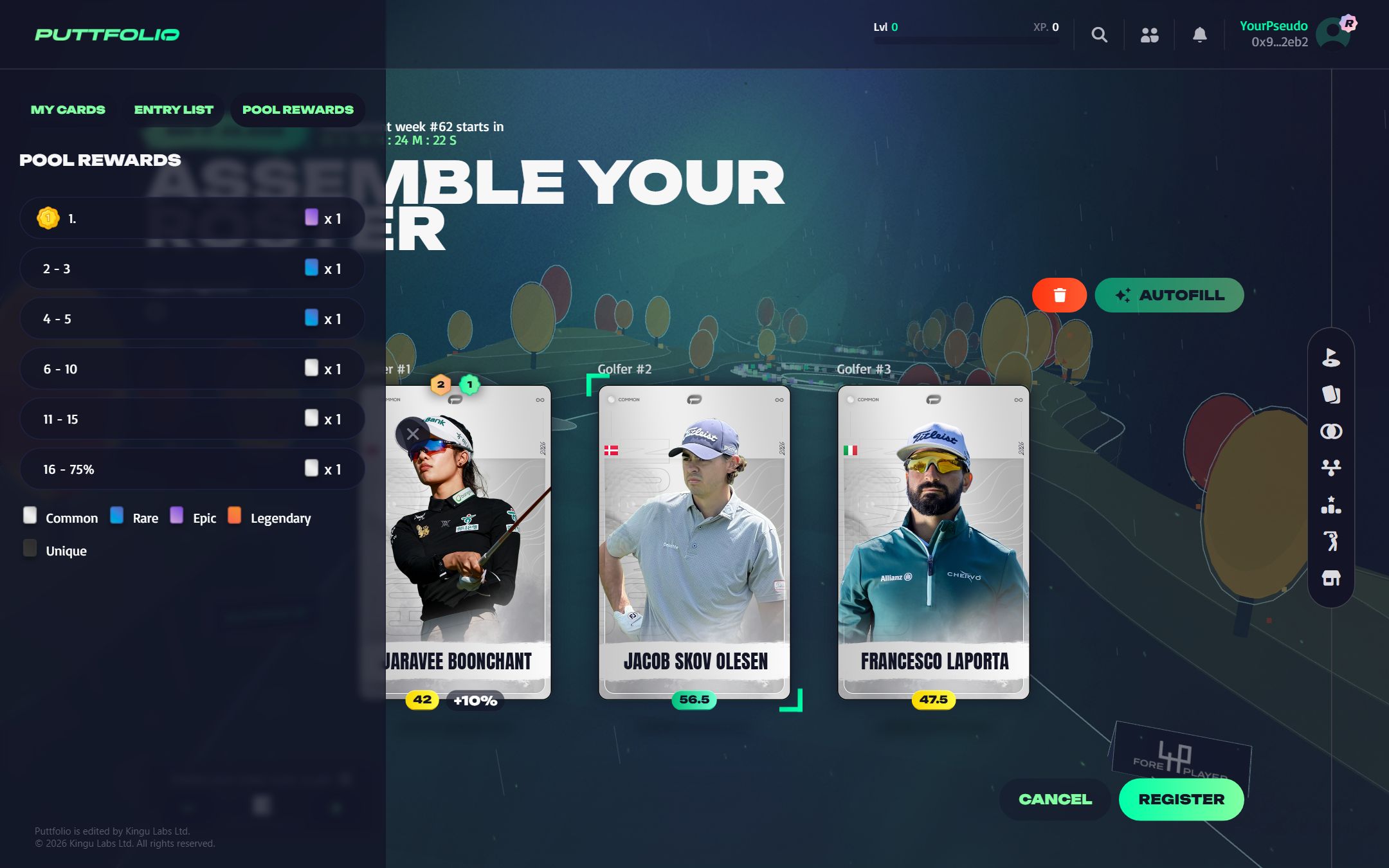
- The third tab shows what the week pays.
- Each line is a rank bracket and the card it wins. The best ranks win the rarest cards.
- The last bracket is a share of all the players registered: here, everyone down to the top 75% wins a card.
- The colour of the card icon is its rarity: this key reminds you which is which.
The rules
- A roster has 3 golfers.
- You can only line up cards you own.
- The same golfer cannot appear twice in a roster, even if you own several of their cards.
- A card that is in Practice cannot be lined up until its practice is over.
- There is no limit on rarity and no rule about tours: any 3 different golfers work.
Read a golfer at a glance
Each golfer shows a few numbers that tell you what to expect from them:
| Number | What it tells you |
|---|---|
| Average score | The golfer's average Puttfolio score per tournament over the last 12 months. The best single indicator of their level. |
| Last 5 | Their scores in their five most recent tournaments of the season. It shows whether they are in form right now. |
| Modifier (Mdf %) | The bonus your own card adds to the golfer's points. See card modifiers. |
| % of rosters | How many players have picked this golfer this week. |
| Playing this week | Whether the golfer is entered in one of the week's tournaments. |
Autofill
Short on time? Autofill builds a roster for you. It favours golfers who play this week, then your cards with the highest modifier, then the golfers with the best average score. You can change any slot afterwards.
Edit and lock
You can change your golfers and your prediction as often as you want while the week is open. When the week starts, the roster locks and stays as it is until the results.
Share and challenge friends
Once registered, you can share an image of your roster. The lobby also shows which of your friends have registered, and lets you nudge the ones who have not.